A better way for members to manage opportunities, conversations and client engagement on CO-architecture.
The latest Project Portal release gives CO-architecture members more visibility, more context and better tools to engage with prospective clients, while making it easier for clients to review, respond and shortlist the right practices.
But we know visibility and access alone isn’t enough.
For an opportunity to become a conversation, and a conversation to become a project, both sides need the right information, at the right time, in an experience that makes taking the next step easy.
That is the focus of our latest Project Portal release.
We’ve redesigned major parts of the member experience for discovering and engaging with projects, while also rebuilding the way clients receive, compare and respond to practices. The goal is a more connected experience from project discovery through to client conversation and shortlisting, and this is just the beggining with more updates to be released soon.
Discover opportunities visually with the new map view
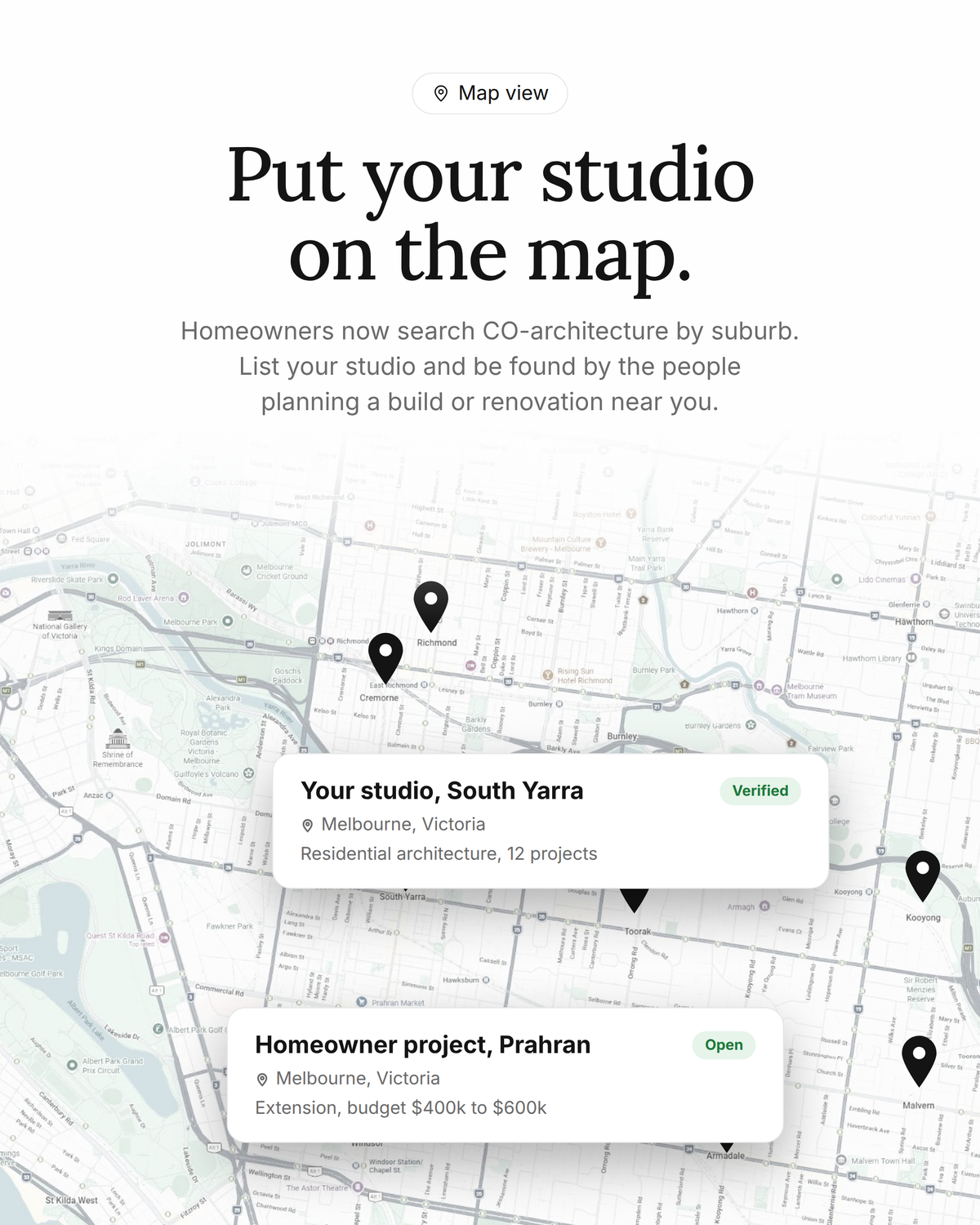
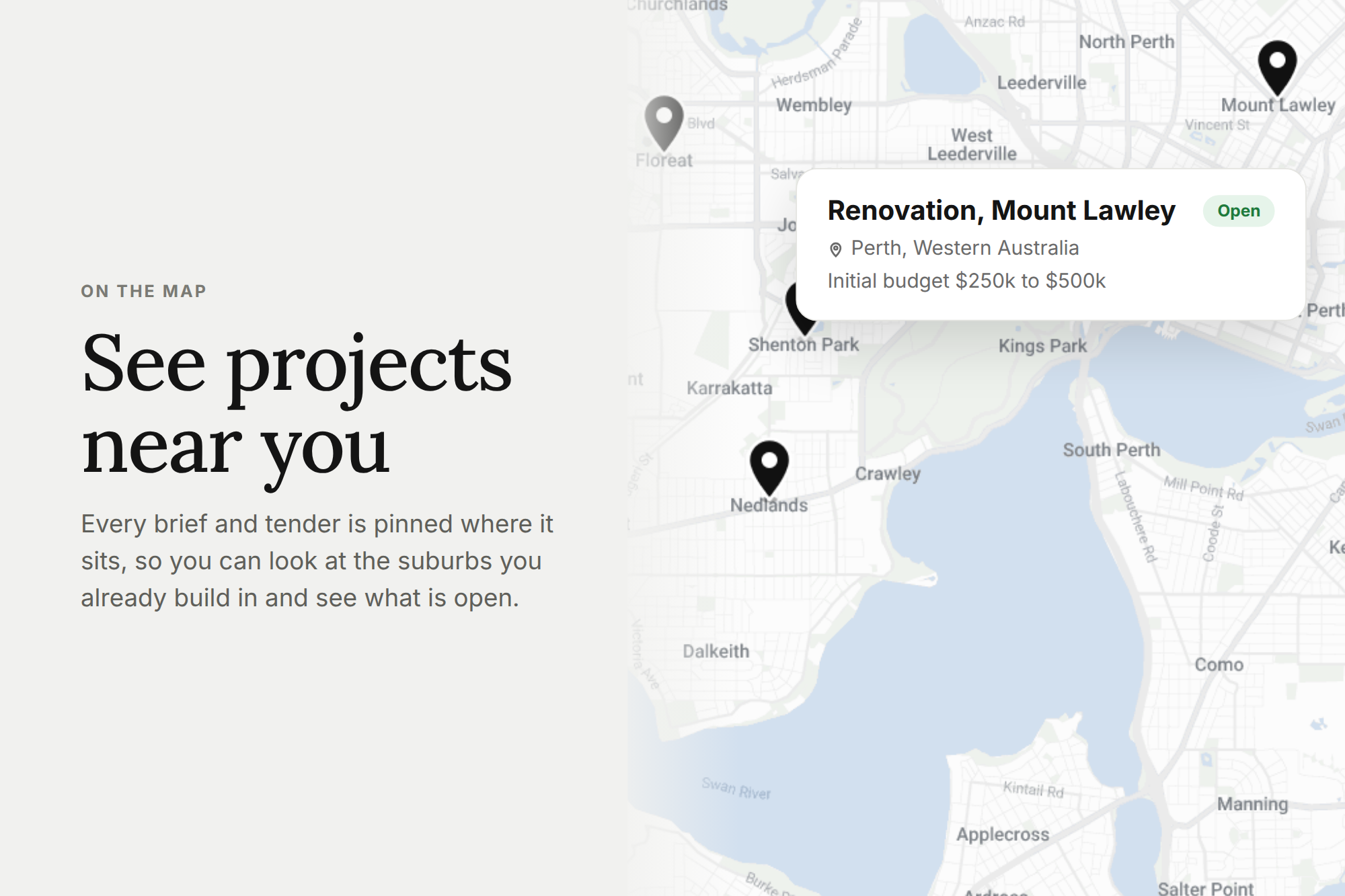
Members can now explore available projects through a completely redesigned interactive map.
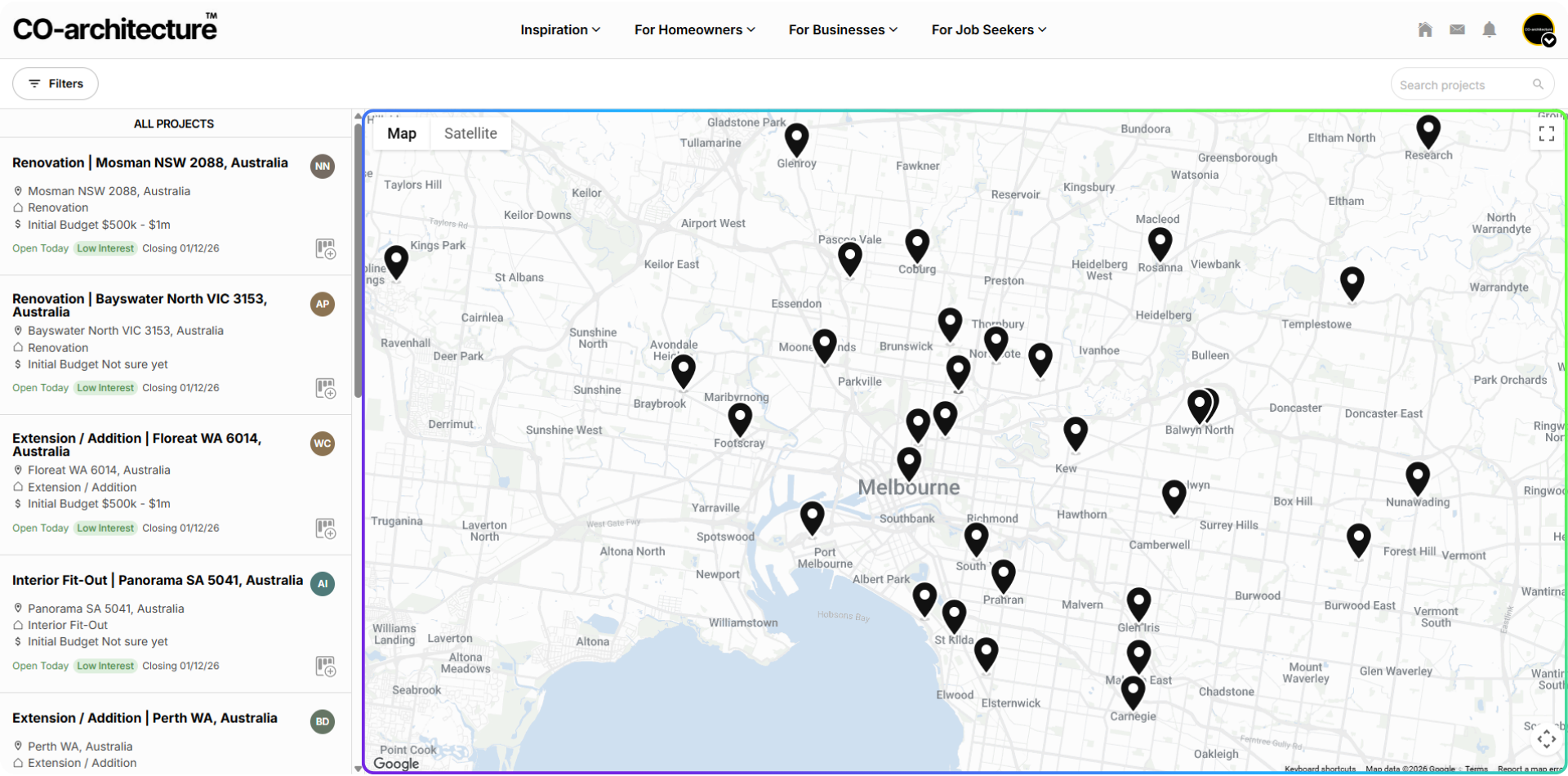
Rather than relying solely on a list of opportunities, projects can now be viewed geographically across Australia, making it much easier to understand where demand is emerging and identify projects relevant to your practice.
Zoom into your local area, scan a broader region, or move between locations to see available opportunities geographically.
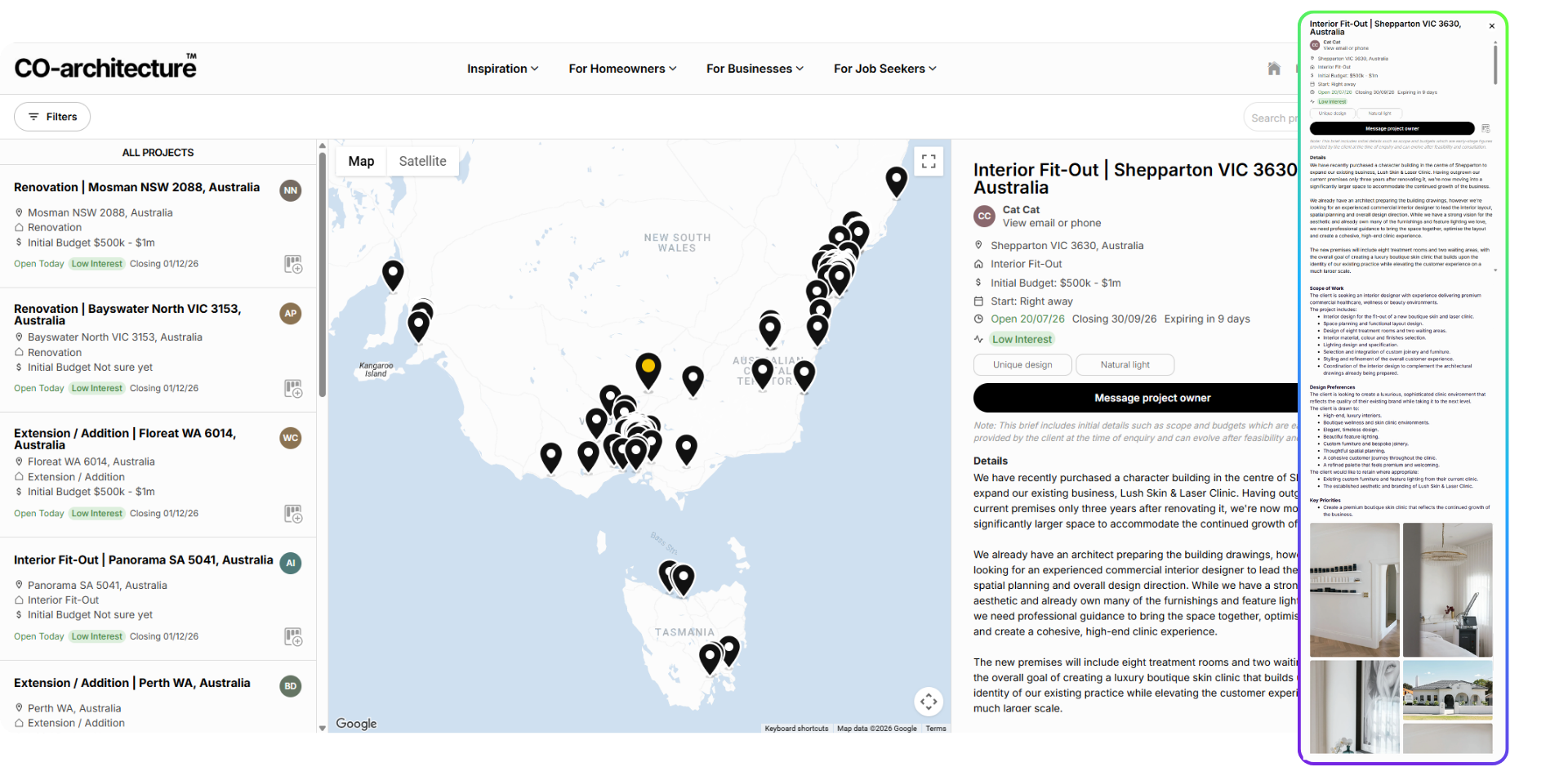
Selecting a project opens the brief directly alongside the map, allowing you to explore opportunities without constantly moving between pages. It is a faster and more visual way to understand what is happening across the network.
More context before you engage
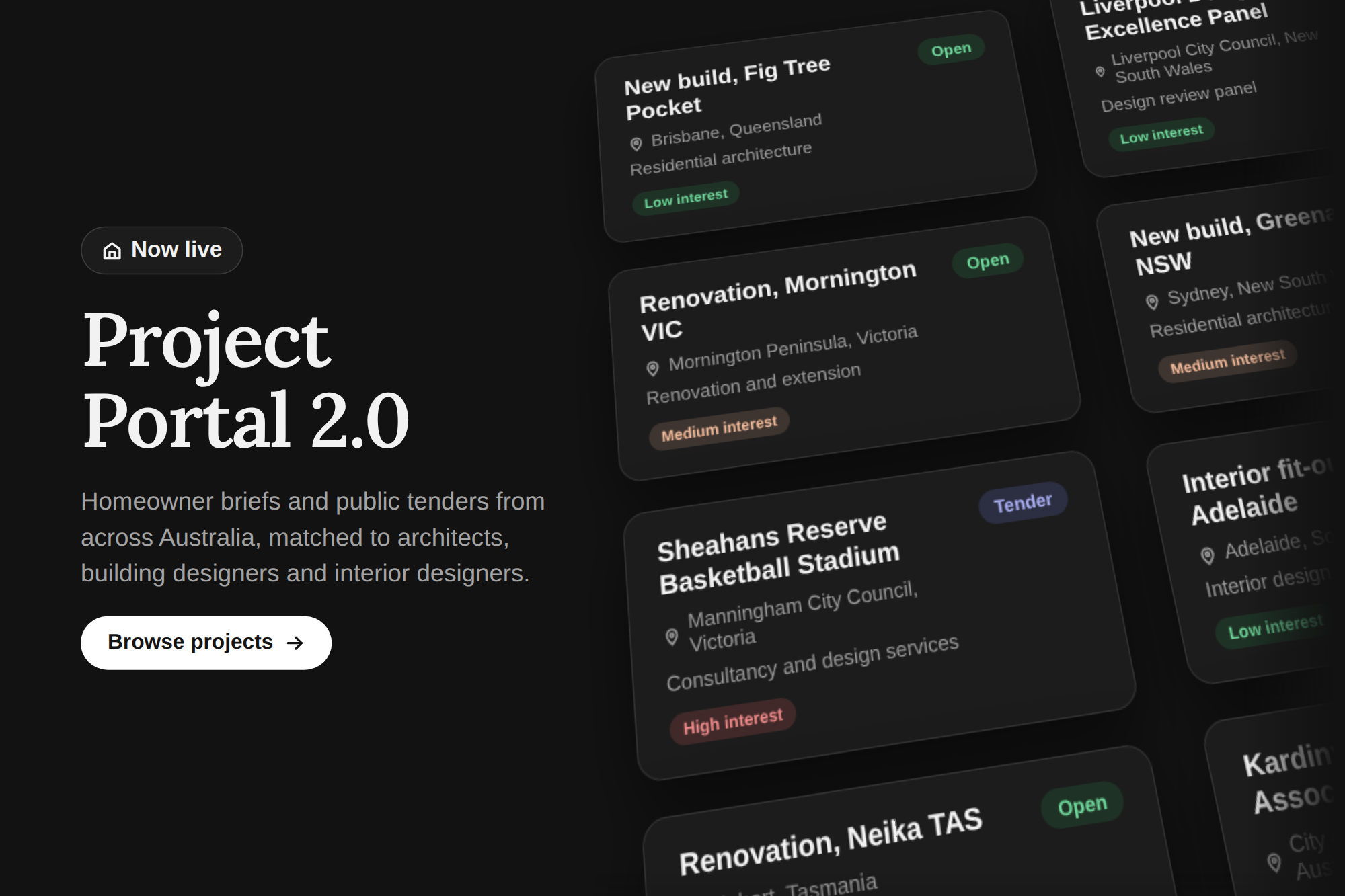
Project briefs have also been redesigned to surface more useful information upfront.
Members can review the project type, location, initial budget, timing, scope, client preferences, supporting imagery and other relevant project information before deciding whether to engage.
We’ve also introduced project interest indicators, giving members additional context around the level of activity surrounding an opportunity.
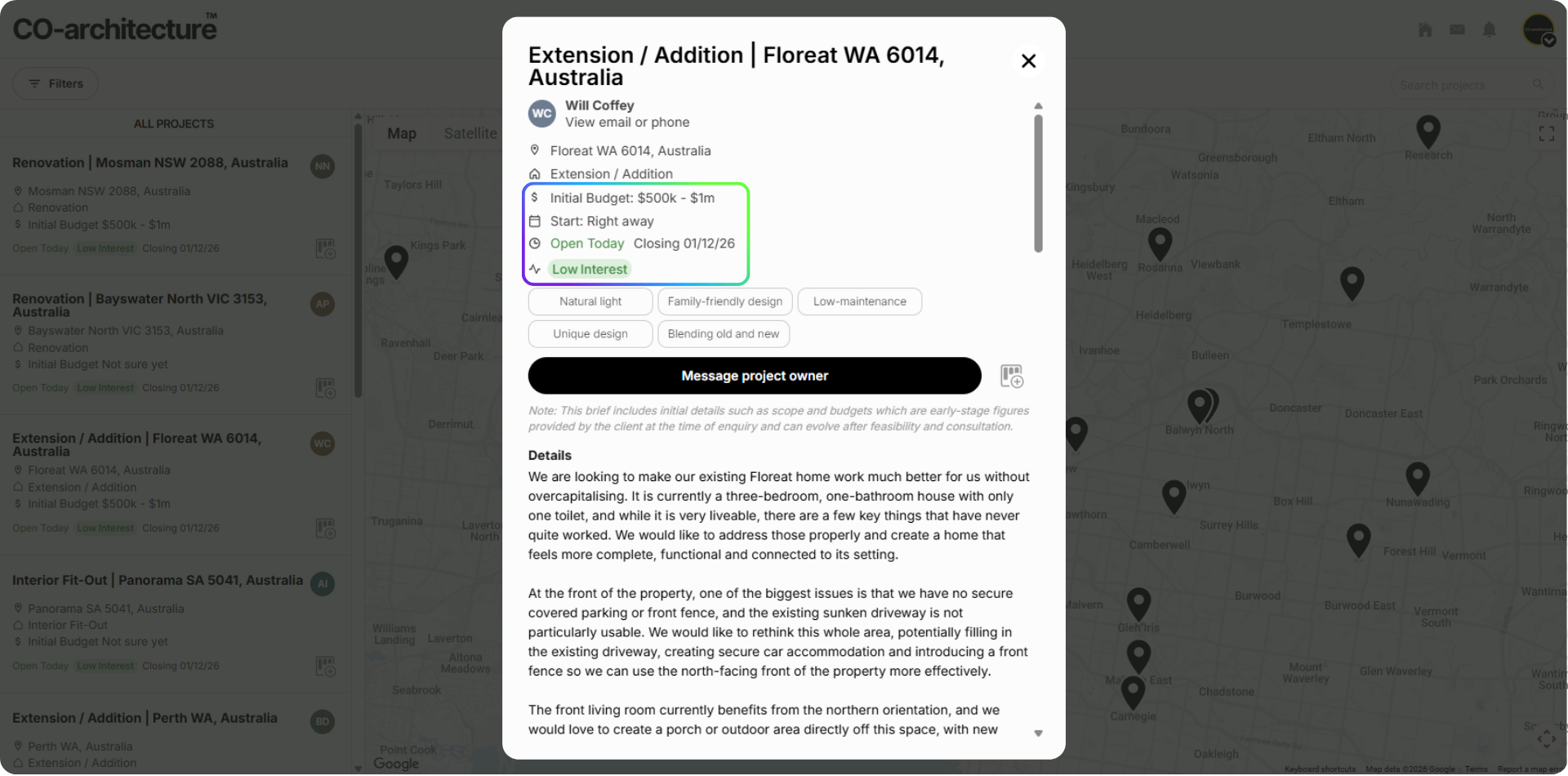
A project showing lower interest, for example, may present a very different opportunity to one already attracting significant engagement.
The goal isn’t to tell practices which projects to pursue. It is to provide more context so members can make better decisions about where to spend their time.
Better filters for finding the right work
As the volume and variety of opportunities across CO-architecture continues to grow, being able to narrow that demand quickly becomes increasingly important.
The new Project Portal introduces improved filtering across project type, location, budget and project stage, alongside the ability to move between client briefs and tenders.
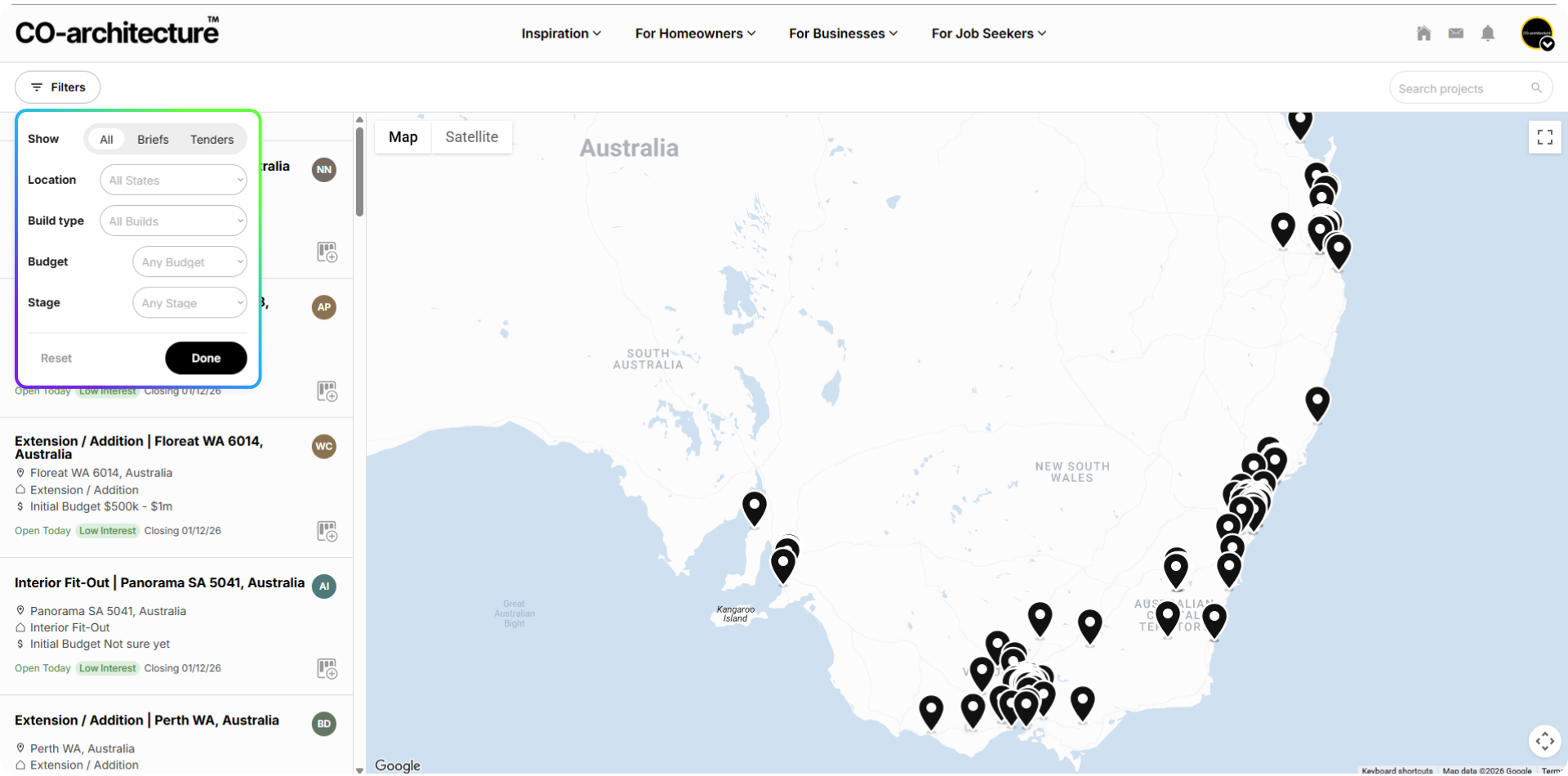
Instead of treating every opportunity equally, practices can create a view of the platform that more closely reflects the work they want to approach.
That means less time searching and more time focused on opportunities that align with your practice, experience and capacity.
A stronger first impression
We’ve also upgraded the way members contact project owners.
The new messaging experience introduces improved message formatting and linking, giving practices more flexibility in how they introduce themselves, communicate their experience and direct prospective clients toward relevant information.
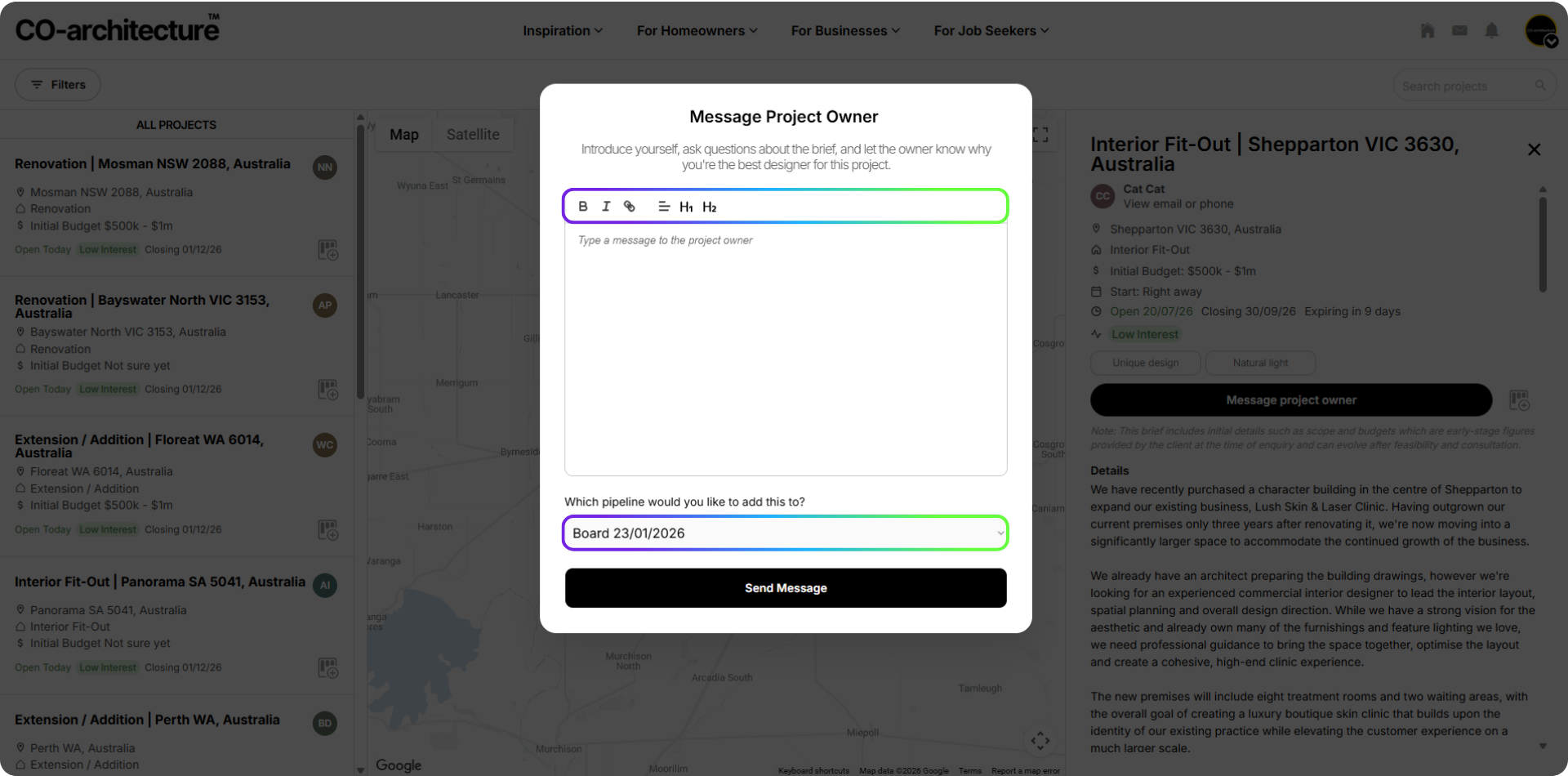
CO-architecture can create the introduction, but the quality of the approach still plays a major role in whether a client chooses to respond.
Members should think of the Project Portal as access to the room. What happens next depends on how clearly you can communicate your relevance, experience and value to that particular client.
What the client now sees
Some of the most important changes in this release happen on the other side of the platform.
We have rebuilt the client dashboard and inbox to make it significantly easier for homeowners and project owners to understand who has expressed interest in their project and decide who they would like to speak with.
Each response is now supported by more context around the practice.
Clients can see a business profile summary, relevant projects and information about the practice directly alongside the conversation, reducing the amount of searching required to understand who is contacting them.
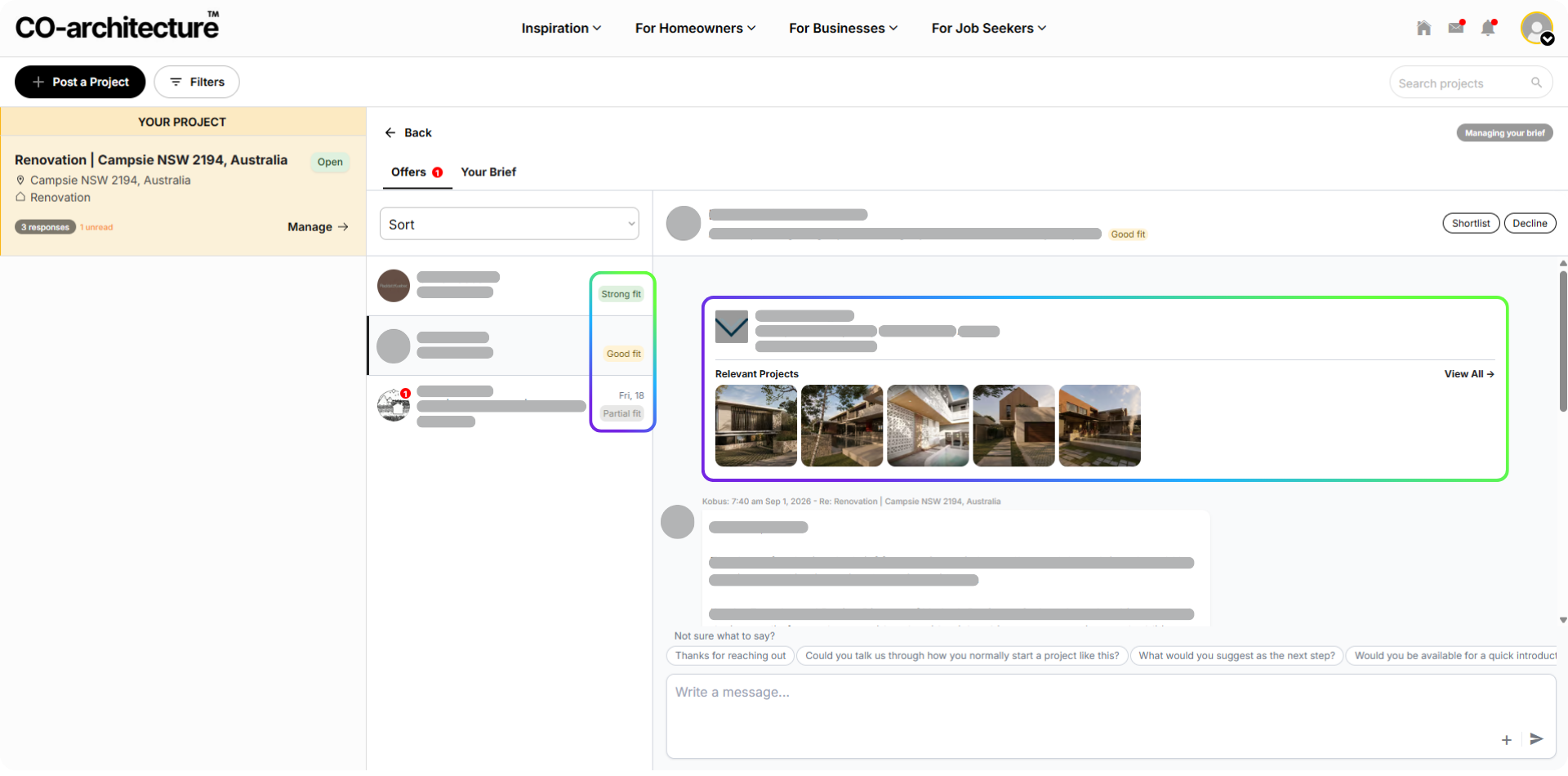
We’re also introducing assisted sorting based on the relationship between the project and the responding business profile.
This helps clients navigate multiple responses while still leaving the final decision entirely in their hands.
For members, this means your business listing and braoder presence on CO-architecture increasingly matters.
Your business profile, portfolio and positioning aren’t separate from project opportunities, they form part of the way a prospective client evaluates your practice.
Shortlisting and faster replies
Clients can now shortlist or decline practices directly from their project dashboard, creating a clearer progression from initial response to active consideration.
We’ve also added quick reply prompts to conversations.
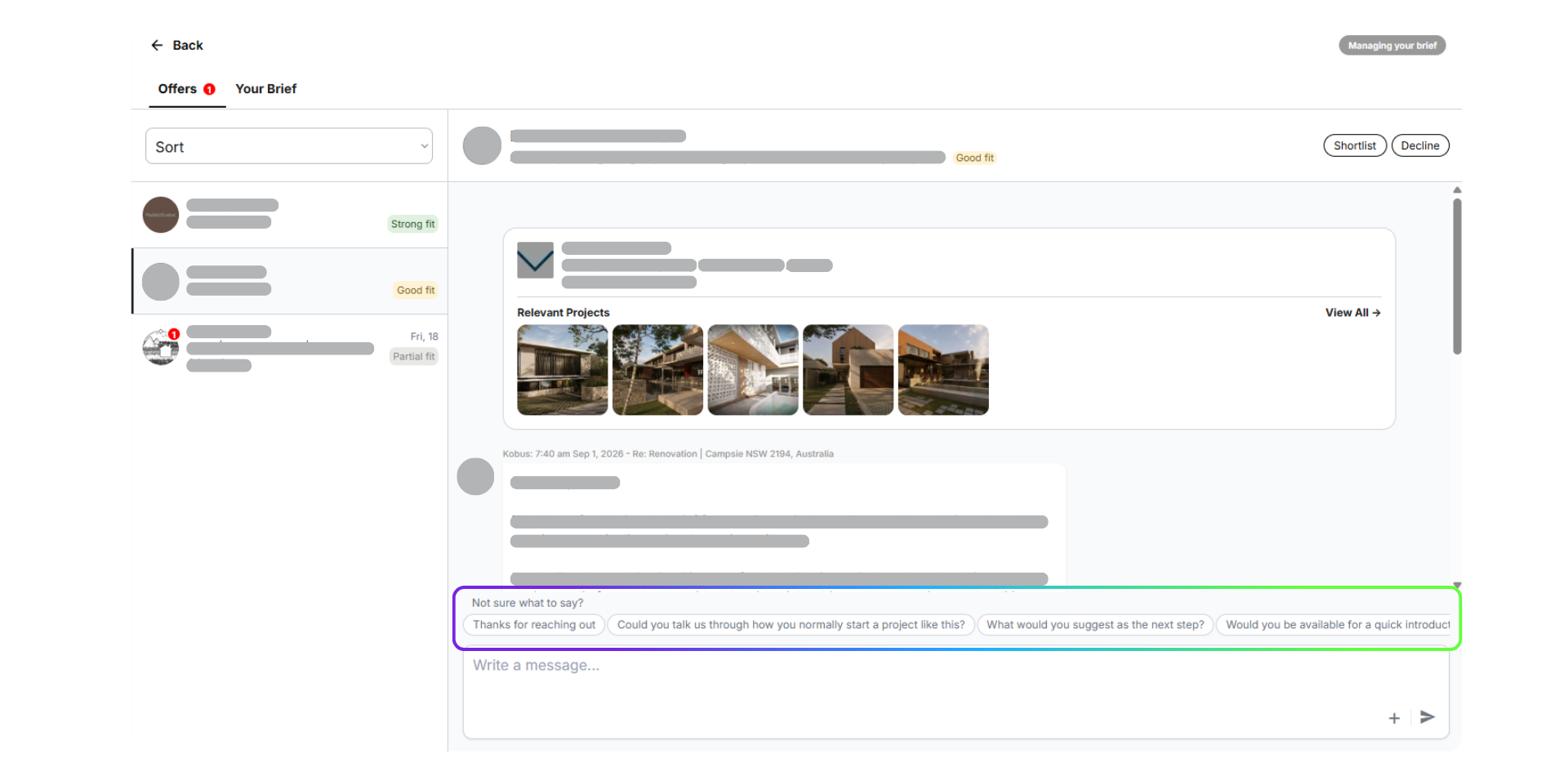
For many clients, particularly those engaging an architect or designer for the first time, knowing what to ask next isn’t always obvious.
Simple prompts such as asking how a practice would start the project, what the next step might be, or whether they are available for an introductory conversation reduce that friction and make replying easier.
That small change can matter.
The fewer barriers there are between receiving an introduction and continuing the conversation, the better the opportunity for genuine engagement to develop.
Visibility creates opportunity. Practices create conversion.
A key principle behind this release is recognising the role the platform plays, and the role the practice plays.
CO-architecture creates visibility, access and connection to prospective clients.
We can improve the quality of the briefs, provide better information, surface relevant opportunities and make it easier for clients to discover and respond to practices.
But ultimately, converting an opportunity into paid work remains part of the practice’s own business development process.
That includes selecting the right projects, positioning the practice appropriately, writing a considered first approach, following up, building trust and ultimately demonstrating why you are the right team for the project.
The new Project Portal is designed to give members better infrastructure around that process.
Not simply more projects, but better tools for deciding where to engage and a better environment in which those conversations can progress.
And this release is another significant step in that direction.
What’s coming next
This release is part of a broader roadmap for how practices manage opportunities and business development through CO-architecture.
Over the coming releases, we’ll be expanding the Project Portal with a new set of pipeline tools designed to help members manage opportunities beyond the initial project response.
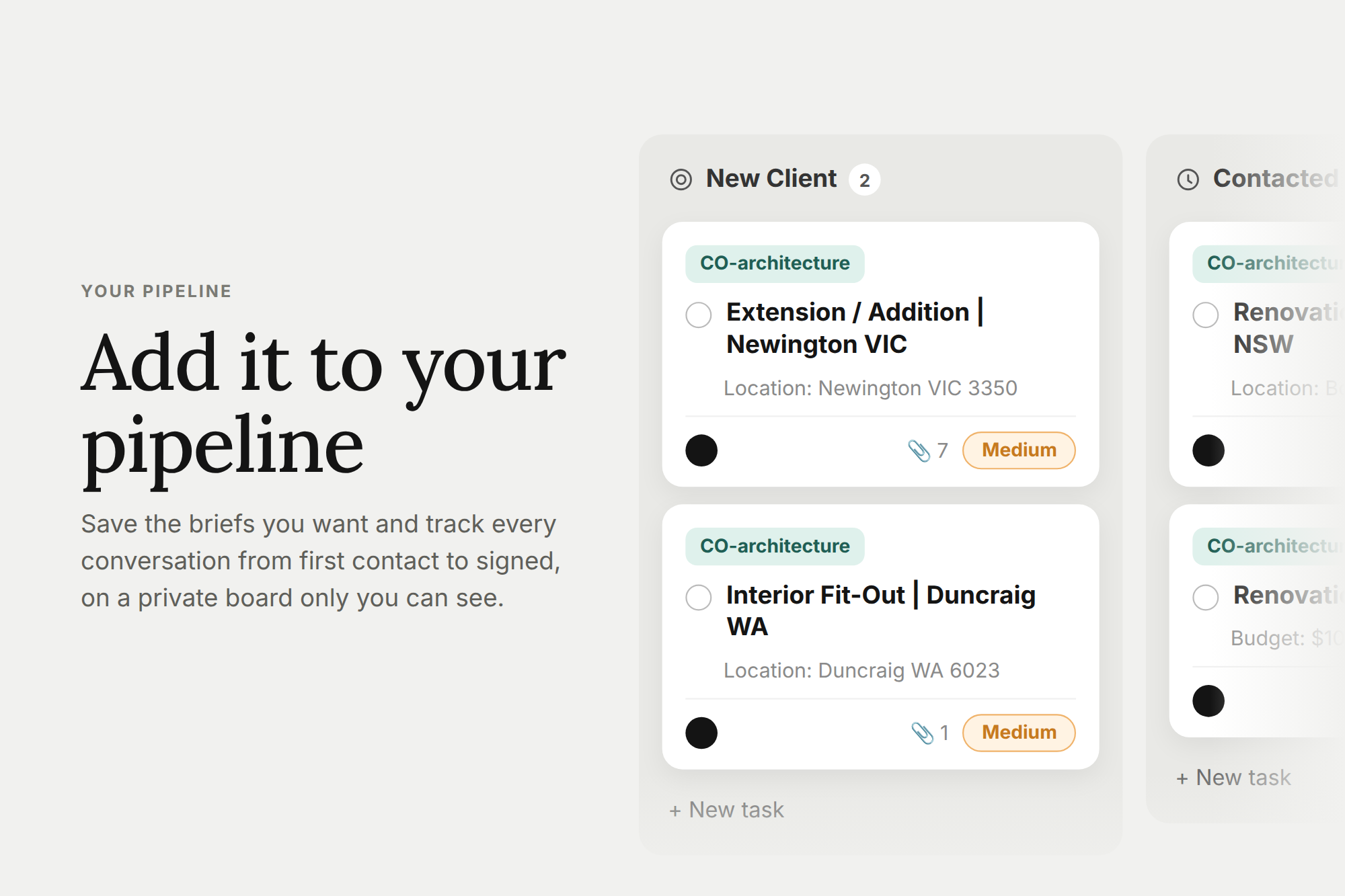
This will include email inbox syncing and activity tracking, giving practices a clearer view of conversations and follow-up activity across their pipeline. We’re also developing collaboration tools so multiple team members can manage, share and progress opportunities together rather than relying on a single person to hold the relationship.
We’ll also be introducing faster ways to stay engaged with prospective clients, including quick replies via text and email, helping clients respond and follow up without needing to constantly return to the platform.
The Project Portal will continue to evolve over the coming months, with each release focused on reducing friction between discovering an opportunity, starting a conversation and progressing it through your pipeline.
More to come soon!